Cinema HD App: The A to Z Guide for Movie Streaming Enthusiasts
At Mobiflix, we understand how exciting it is to find a free platform for streaming movies and TV shows. One such app that may have caught your attention is the Cinema HD App. In this guide, we’ll provide you with a detailed overview of the app, how to download it, and explore some potential alternatives that might offer an even better experience.
What is Cinema HD App?
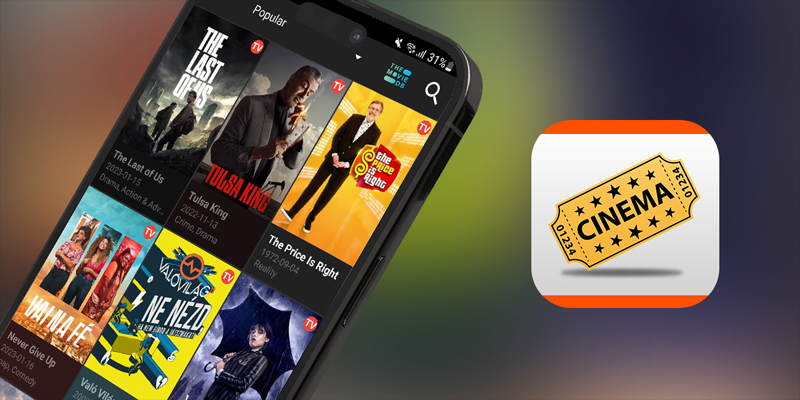
Cinema HD is a mobile application designed for movie lovers who want to stream films and TV shows on their devices. However, unlike most apps, it’s not available on official app stores. Users must download it from third-party sources. The app uses web scraping technology to collect links to movies and TV shows from various online sources, which it then provides for free.
Key Features of Cinema HD App
Cinema HD is packed with several exciting features designed to enhance your streaming experience. Some of the highlights include:
-
Extensive Content Library: Enjoy a wide variety of movies and TV shows, including the latest releases and popular classics.
-
High-Quality Streaming: The app supports HD streaming, ensuring that you watch your favorite content in the best quality possible.
-
User-Friendly Interface: Navigating through the app is simple, with easy access to content and search features.
-
Multiple Streaming Sources: Cinema HD aggregates content from various streaming platforms, giving users a broad selection of viewing options.
-
Download and Offline Viewing: Cinema HD allows you to download content for offline watching, perfect for when you’re on the go.
-
Subtitles and Multi-Language Support: The app provides subtitles in several languages, catering to a global audience.
-
Trakt Integration: This integration allows users to sync their movie and TV show progress across multiple devices.
These features contribute to the app’s popularity, though it’s crucial to be aware of its legal status when accessing copyrighted content.
Is Cinema HD App Safe?
As a third-party app, Cinema HD may present certain safety risks. Since the content it streams may come from various sources, some of them may not comply with copyright laws. For enhanced security, it is recommended to download Cinema HD only from trusted websites. Additionally, using a VPN (Virtual Private Network) can further protect your privacy and online security.
Is Cinema HD App Legal?
Cinema HD exists in a legal gray area. While the app itself does not host content, it links to streaming sources that may offer copyrighted material. Depending on your location and local copyright laws, using the app could potentially violate intellectual property rights. We suggest using licensed, legal streaming platforms to avoid any legal complications.
How to Download Cinema HD App on Android
To download Cinema HD on your Android device, follow these steps:

-
Enable Installation from Unknown Sources: Go to your device’s settings and allow apps from unknown sources.
-
Download the APK: Use your browser to find the latest Cinema HD APK.
-
Install the APK: Locate the downloaded file in your device’s download folder and tap on it to install.
-
Open the App: Once installed, open the app and start enjoying your favorite content.
Be cautious when downloading APKs from third-party websites. Always ensure the source is trustworthy to avoid malware or other security risks.
Cinema HD on iOS Devices
Unfortunately, Cinema HD is not available for iOS devices like iPhones and iPads. The app is currently limited to Android devices and Amazon Fire Stick. However, alternative apps on the App Store offer similar features for iOS users.
Using Cinema HD on Roku
Since Cinema HD is an Android-based app, it cannot be installed directly on Roku. However, you can use screen mirroring to cast content from your Android device to your Roku TV. Just ensure that both devices are on the same Wi-Fi network, and follow the mirroring process outlined in your device’s settings.
How to Install Cinema HD on FireStick
Installing Cinema HD on a FireStick device involves the following steps:
-
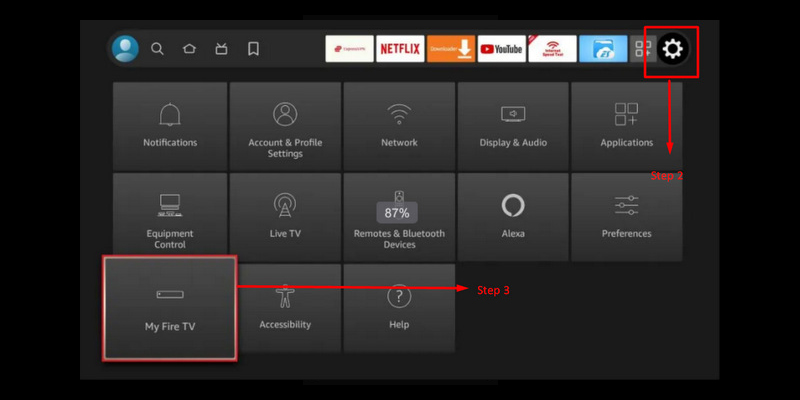
Enable Apps from Unknown Sources: Go to Settings > My Fire TV > Developer Options, and turn on “Apps from Unknown Sources.”
-
Install Downloader: Search for and install the “Downloader” app from the FireStick menu.
-
Download the Cinema HD APK: In the Downloader app, enter the URL to download the APK.
-
Install and Launch: Once the APK is downloaded, click “Install” and then open Cinema HD.
How to Install Cinema HD on Android TV
To install Cinema HD on your Android TV, follow these steps:
-
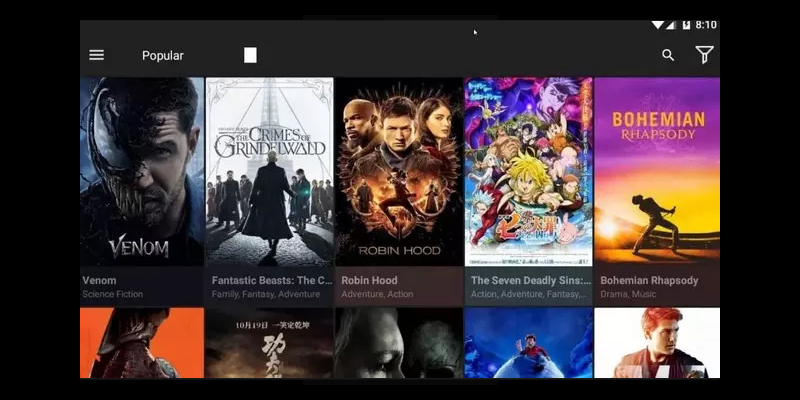
Enable Unknown Sources: Go to Settings > Security & Restrictions, and allow apps from unknown sources.
-
Download the APK: Use a browser on your Android TV to download the Cinema HD APK from a trusted source.
-
Install the APK: Once downloaded, locate the APK file and install it on your device.
-
Launch Cinema HD: Open the app, grant necessary permissions, and start streaming.
How to Download Movies Using Cinema HD App
While Cinema HD doesn’t include a built-in download option, you can use third-party downloaders or screen recording apps to save content. The process generally involves:
-
Install a Downloader App: Download a reliable downloader app like ADM from the Google Play Store.
-
Copy Streaming Link: Find the movie or show you want to download and copy its streaming link from Cinema HD.
-
Paste in Downloader App: Open the downloader app, paste the copied link, and start downloading the content.
Please note, downloading copyrighted content without proper permission may violate copyright laws.
Why Cinema HD Might Not Be Working
If you encounter issues with Cinema HD, here are a few common problems and their solutions:
-
App Crashes: Clear the app’s cache and data through the device’s settings.
-
No Sources Available: Try searching for a different movie or TV show.
-
Buffering: Check your internet connection or try using a faster network.
-
Outdated Version: Make sure you’re using the latest version of Cinema HD.
What Are the Best Cinema HD Alternatives?
If you’re looking for better options, consider OnStream as an alternative to Cinema HD. With OnStream, you’ll enjoy:
-
Free Access: No hidden fees or ads.
-
Offline Viewing: Download movies and shows for offline enjoyment.
-
Daily Updates: Access the latest content without delay.
At Mobiflix, we always recommend exploring options that provide the best features and user experience. If you’re after an improved streaming service, OnStream could be the right choice for you.
In conclusion, while Cinema HD is a popular app, we encourage you to explore all your options and choose the platform that best fits your needs. Remember to always prioritize security and legality when choosing a streaming service.