Top 16 Korean Drama Shorts That Will Hook You Instantly
Apr 21, 2026
Morph TV remains a staple in the streaming community for one primary reason: its resilient, lightweight design. While many modern APKs have become bloated with ads and heavy interfaces, Morph TV continues to circulate in 2026 as a classic alternative that prioritizes speed over flashy features.
However, using a legacy app in 2026 requires a different approach. Since the original developers are no longer active, understanding streaming stability, safety protocols, and how to find working mirrors is essential for a smooth experience.
Morph TV logo introducing the app reviewed in this article.
Morph TV is an unofficial streaming application that lets users watch movies and TV shows for free through an Android APK. Unlike legal streaming platforms, the Morph TV app does not host content on its own servers. Instead, it collects streaming links from multiple third-party sources and displays them in a clean, app-style interface.
Because Morph TV is not available on Google Play or the App Store, users must install it through third-party sources. Over the years, it has attracted attention from casual viewers who want quick access to content without accounts, ads from official platforms, or monthly fees. That convenience is the main reason it still gets attention in 2026.
Morph TV Status Report 2026: Is Morph TV still updated? No. The original developers moved on years ago. However, the 1.74 APK remains functional on most Android 11+ and Fire OS devices because its link-scraping architecture is remarkably resilient. Note that you are likely using a community-maintained ‘clone’ or mirror.
From a technical point of view, Morph TV remains a lightweight Android app designed for phones, tablets, and compatible TV devices.
The table below outlines Morph TV’s technical profile, version status, and platform compatibility based on commonly circulated builds.
|
Category |
Technical Details |
|
App Format |
Android Package Kit (APK), sideload installation only |
|
Supported OS |
Android 5.0 (Lollipop, API level 21) and higher |
|
Tested Device Types |
Android smartphones, Android tablets, Android TV boxes, Fire TV (via sideload) |
|
File Size Range |
~14 MB to 19 MB depending on build |
|
Last Known Stable Versions |
v1.70, v1.71, v1.72, v1.73, v1.74 |
|
Release Period of Latest Builds |
Late 2018 to early 2019 (based on public mirrors) |
|
Update Delivery Method |
Manual APK replacement only |
|
Official Distribution Channel |
None (not available on Google Play or official developer site) |
|
App Signing Status |
Varies by source; signatures differ across mirrors |
|
Maintenance Status |
No confirmed active development or verified updates |
Overall, Morph TV’s small file size and broad Android compatibility make it easy to install, but the lack of an official update channel and inconsistent version signatures raise long-term stability and security concerns.
The Morph TV content library relies on third-party aggregation, which shapes what users actually see and how reliable it feels:
In general, the library offers variety but lacks consistency, making discovery unpredictable over time.
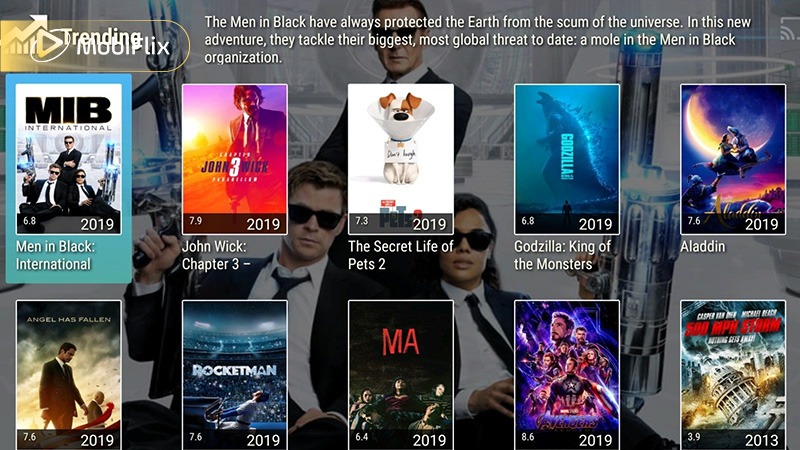
Morph TV library interface showing how users browse movies and TV shows.
Morph TV is built around on-demand aggregation rather than live streaming. Its feature set targets users who want flexible access to movies and TV shows without accounts, subscriptions, or complex setup, relying instead on multiple external sources to maintain availability.
Beyond access, Morph TV’s performance depends heavily on source stability and network conditions rather than advanced optimization features.
The table below breaks down how Morph TV’s core features perform under typical usage conditions.
|
Feature Area |
Performance Detail |
Practical Requirement |
|
Multi-Source Streaming |
Link availability varies by title |
Stable internet |
|
SD Playback |
Minimal buffering |
4–5 Mbps |
|
HD Playback |
Clear image, inconsistent stability |
8–12 Mbps |
|
Subtitle Loading |
Source-dependent |
Any stable speed |
|
Chromecast Streaming |
Works on compatible links only |
10 Mbps+ |
In practice, Morph TV works best as a backup-style streaming app, where flexibility matters more than consistency or polish.
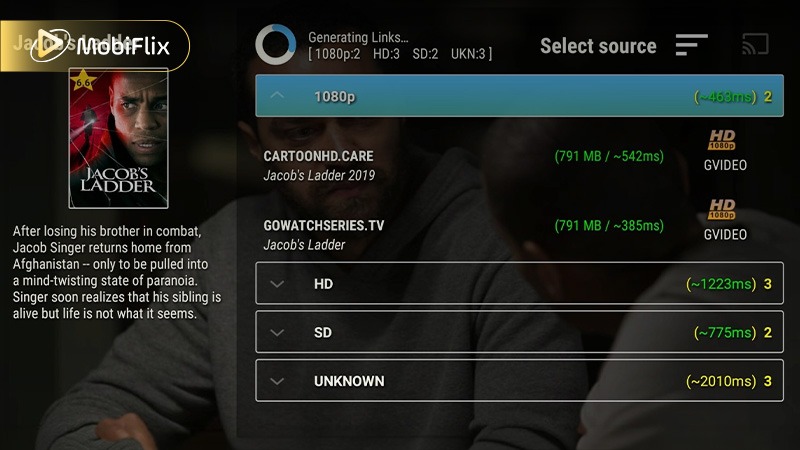
Morph TV feature screen highlighting playback and browsing functions.
Before committing time to setup, it helps to weigh both sides of the experience.
Pros
Cons
This balance explains why Morph TV appeals mostly to experienced users rather than casual streamers.
Copyright & Legal Risk: Morph TV aggregates links to copyrighted movies and series without official licensing. In many regions, streaming such links can violate copyright laws, even if no file is stored locally.
The 2026 Abandonware Risk: Because Morph TV is no longer officially supported, new versions found online are often modified by third parties. These Morph TV Mod APKs are high-risk files that may contain trackers or crypto-miners.
In 2026, the safest way to use Morph TV is to find an original, verified v1.74 build rather than any version claiming to be v2.0 or higher, which are almost certainly fakes.
Practical Safety Tips
On Android, Morph TV feels familiar to anyone who has used third-party streaming apps before. Installation is straightforward, and the interface is designed for touch navigation. Playback quality depends entirely on the selected link, ranging from SD to HD when available.
Navigation is fast, but stability varies. Some sessions run smoothly, while others end with buffering or failed streams. That inconsistency defines the Android experience more than any design choice.
The Android version includes features tailored to mobile use:
These features make the Morph TV APK Android experience functional, even if it lacks polish.
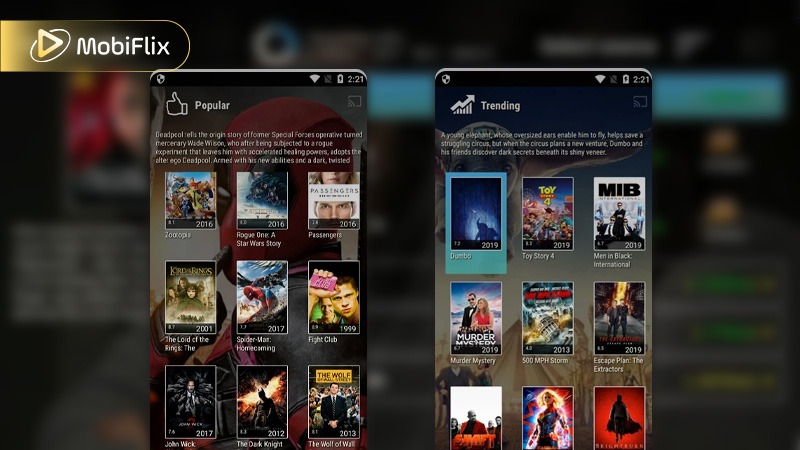
Combined Morph TV Android screenshots showing the mobile interface and content browsing experience.
To install Morph TV, users must sideload the app manually.
When searching for a Morph TV APK download, always avoid sites that bundle installers or request extra permissions. Accuracy and caution matter more than speed.
Morph TV is often installed on TV-based devices for big-screen viewing, but the experience varies sharply depending on hardware, Android version, and sideload method. Knowing what works and what doesn’t saves time and frustration.
|
Device Type |
Android Version Needed |
Installation Method |
Update Status |
Real-World Performance |
|
Android TV Box |
Android 7.0+ |
APK sideload via file manager |
Manual only |
Stable on mid/high-end boxes |
|
Firestick (Gen 2+) |
Fire OS 6–7 |
Downloader app + APK |
Manual only |
Acceptable, slower navigation |
|
Fire TV Cube |
Fire OS 7 |
Downloader app |
Manual only |
Smooth playback, fewer crashes |
|
Smart TV (Android OS) |
Android TV 8+ |
USB or file manager |
Manual only |
Interface scaling issues |
|
Non-Android Smart TV |
Not supported |
Not possible |
N/A |
Not compatible |
Overall, Morph TV works best on stronger Android TV hardware. Firestick users should expect slower menus, while low-end TV boxes struggle with stability and updates.
There is no official Morph TV app for iOS. Apple’s ecosystem restricts sideloading, which prevents direct installation through standard means. This limitation alone makes Morph TV impractical for most iPhone and iPad users.
Morph TV iOS Highlights: Unofficial workarounds sometimes appear through third-party app stores or sideloading tools. These versions are unstable, short-lived, and often revoked. Legal and security risks are significantly higher compared to Android.
How to Download & Install Morph TV on iOS: Installing Morph TV on iOS typically requires tools like AltStore or enterprise certificates. These methods are complex, unreliable, and violate platform policies. We do not recommend this approach due to security and account risks.
Using Morph TV properly is less about settings and more about understanding how the app behaves in daily use. Once you open the app, efficiency depends on how you navigate and respond to link quality.
Generally, Morph TV favors quick decisions and flexibility over long, uninterrupted sessions.
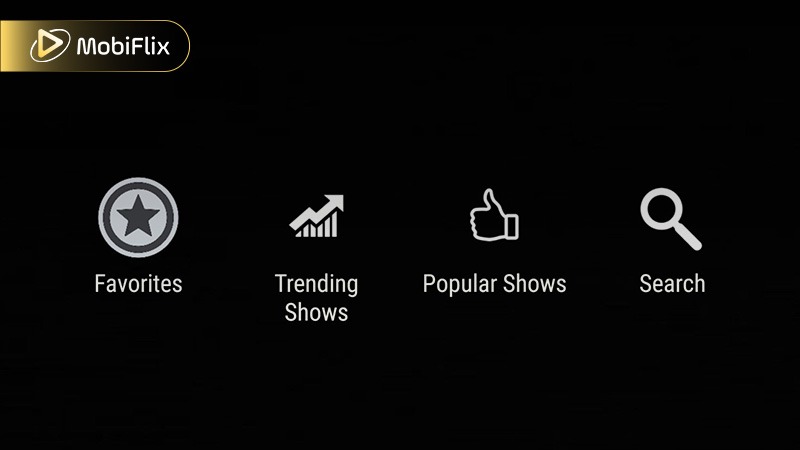
Morph TV interface example showing navigation and daily in-app use.
When Morph TV becomes unstable or unreliable, these five alternatives are usually the next step for experienced users.
|
Platform |
Cost |
App Type |
Stability Level |
Key Difference vs Morph TV |
|
TeaTV |
Free |
Unofficial APK |
Moderate |
More frequent link refreshes |
|
Cinema HD |
Free |
Unofficial APK |
Moderate–High |
Larger and more active source pool |
|
CatMouse APK |
Free |
Unofficial APK |
Moderate–High |
Faster loading, fewer dead links |
|
Cyberflix TV |
Free |
Unofficial APK |
Moderate |
Better TV-friendly interface |
|
Kodi (with add-ons) |
Free |
Open-source platform |
Varies |
Full customization, higher setup effort |
All in all, these alternatives trade simplicity for reliability in different ways. APK-based apps feel closest to Morph TV, while Kodi suits users willing to invest time for greater long-term control.
Morph TV isn’t a daily driver but a fallback tool. It works best when you understand link behavior, device limits, and safety trade-offs discussed above. If you treat it as a temporary option rather than a main platform, frustration drops fast. For consistent anime tracking and long sessions, pairing Morph TV with at least one stable alternative is the smarter move.
Some links support downloads, but availability depends on the source. Offline viewing is inconsistent and not guaranteed for all titles.
Officially, yes. The original development team ceased updates years ago. However, the app is not dead. Because it uses a decentralized scraping method, the APK still functions as long as the websites it scrapes stay active. It is best described as “unsupported legacy software” that continues to work through community-maintained links.
A VPN may help with regional blocks and privacy, but it does not remove legal risks associated with streaming copyrighted content.
Broken sources, removed links, or server downtime are common causes. Switching sources sometimes resolves the issue.
Permissions usually include storage access for caching and downloads. Requests beyond this should be treated cautiously.

Apr 21, 2026

Apr 21, 2026

Apr 21, 2026
Apr 21, 2026

Apr 09, 2026

Apr 07, 2026