Top 16 Korean Drama Shorts That Will Hook You Instantly
Apr 21, 2026
Apollo TV keeps showing up in anime circles and streaming communities because it promises something many viewers want: easy access, flexible devices, and fewer barriers between you and what you want to watch. From long-running anime series to popular TV shows and movies, the platform is built around convenience rather than polish.
We’ve spent time exploring how Apollo TV behaves on real devices, how smooth the viewing experience feels, and where it clearly shines or struggles. If you stream anime regularly, use Firestick or Android, and care more about access than branding, this overview will help you decide whether Apollo TV fits your daily watching habits.
Apollo TV overview image for the 2026 review
Apollo TV is a multi-device streaming platform designed to give users access to a wide range of on-demand content, including anime, TV series, and movies. From our perspective as an anime-focused review site, its appeal lies in flexibility, cross-device support, and community-driven usage.
The Apollo TV app is mainly used by viewers who want a centralized place to browse, stream, and manage watchlists without juggling multiple services. Many users encounter Apollo TV through the Apollo TV group, which often handles access, updates, and account-related information. To start watching, users usually go through an Apollo TV login, depending on how their access is set up.
Overall, Apollo TV aims to serve viewers who value convenience, device compatibility, and broad content availability rather than polished branding.
Before downloading or installing, it helps to understand the technical basics of the app. The table below summarizes key file and system details that users usually look for.
|
Item |
Details |
|
Application Name |
Apollo TV |
|
Platform |
Android, Firestick, Android TV |
|
App Type |
Video streaming application |
|
License |
Private / third-party distribution |
|
Latest Version |
Varies by provider |
|
App Size |
~60–90 MB (APK-based installations) |
|
Android Requirement |
Android 5.0+ |
|
Firestick Support |
Fire OS 6 and above |
|
Offline Download |
Limited / device-dependent |
|
App Store Availability |
Not available on Google Play |
|
Update Method |
Manual update (APK reinstallation) |
|
Account Requirement |
Yes (Apollo TV login required) |
|
Ads |
No in-app display ads reported |
|
Streaming Quality |
SD, HD, Full HD (source-dependent) |
|
Content Type |
Movies, TV shows, anime, live content |
|
Distribution Source |
Official Apollo TV site or Apollo TV group |
Apollo TV operates outside mainstream app stores, so version numbers, file size, and features depend on the distributor. Android and Firestick remain the most stable platforms for installation and updates.
Apollo TV’s library is broad rather than niche-focused. From our testing and user feedback, content is typically organized in the following ways:
The library is updated regularly, though freshness can vary by region and source. Content discovery relies more on categories than editorial curation.
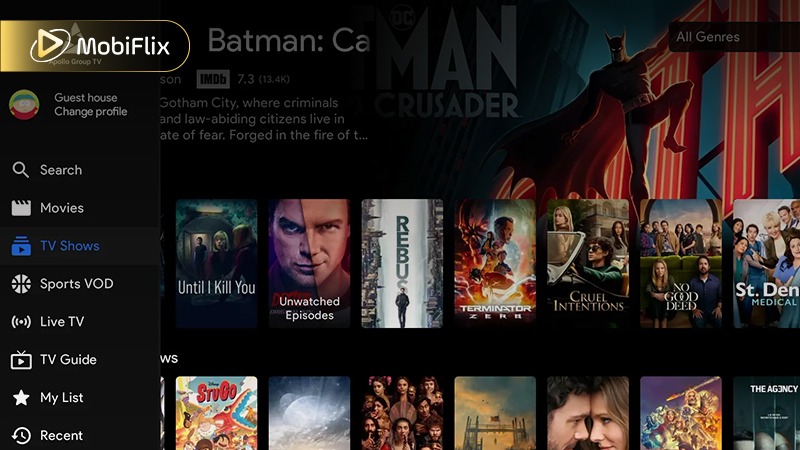
Browsing Apollo TV shows and categories.
Apollo TV focuses on practical features that support everyday streaming across devices. These are the core functions users interact with most.
Additionally, Apollo TV’s streaming features are designed for stable playback across common home networks and portable devices, with performance depending largely on connection quality and device capability.
|
Feature |
Performance Detail |
Ideal Connection Speed |
|
SD Streaming |
Smooth playback with minimal buffering |
5 Mbps |
|
HD Streaming |
Clear image quality with stable frames |
10 Mbps |
|
Full HD Streaming |
Sharper visuals, higher bandwidth demand |
20 Mbps |
|
Adaptive Streaming |
Adjusts quality based on network strength |
5–20 Mbps |
|
Live Content Streaming |
Sensitive to latency and network drops |
15 Mbps+ |
|
Resume Playback |
Syncs progress across sessions |
Any stable speed |
In practice, Apollo TV performs best on consistent broadband or strong Wi-Fi connections, with adaptive streaming helping reduce interruptions during network fluctuations.
Every streaming app has trade-offs. Based on our review, here’s a balanced view.
Pros
Cons
These points help users decide if Apollo TV fits their viewing habits.
Safety and legality depend largely on how and where Apollo TV is accessed.
Practical Safety Tips
Key safety and scam warnings for Apollo TV users.
On Android devices, the Apollo TV apk offers the most complete experience. Installation is manual, but performance is generally stable on modern phones and tablets. Many users choose this route for flexibility and control.
The Apollo TV download process on Android allows access without relying on major app stores, which appeals to advanced users but requires caution.
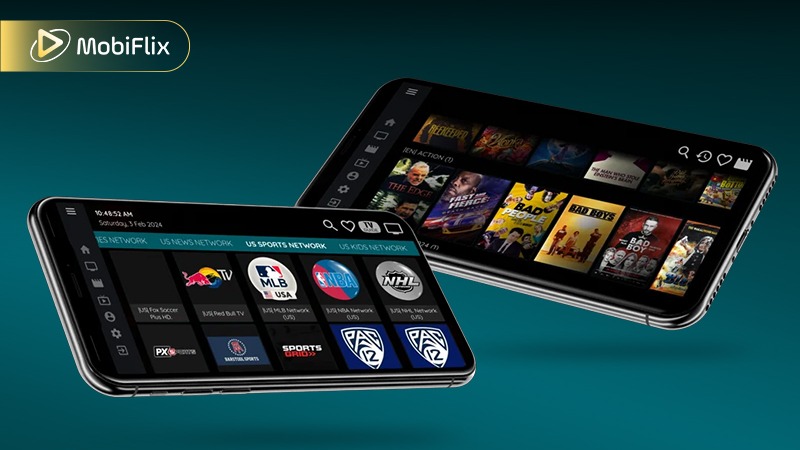
Apollo TV APK interface on Android devices.
The APK version includes Android-specific advantages that differ from other platforms:
These features matter most to users who stream frequently on mobile devices.
Follow these steps for a safe setup:
Always double-check the source before installing any APK file.
Apollo TV is most commonly used on large-screen devices, where stability and update clarity matter more than advanced features. For Smart TVs and streaming sticks, installation and updates are usually manual, and the exact steps depend on the device.
|
Device |
Download Method |
Update Method |
Notes |
|
Firestick / Fire TV |
Downloader app + APK |
Manual re-install of new APK |
Most stable and widely used option |
|
Android TV |
Browser or Downloader APK |
Manual APK update |
Works best on certified Android TV boxes |
|
Smart TV (Android-based) |
Built-in browser or USB APK |
Manual re-install |
Non-Android TVs are not supported |
|
TV Box (Android) |
Direct APK install |
Manual update |
Performance varies by hardware |
For TV-based viewing, Firestick and Android TV offer the smoothest Apollo TV experience. Keeping the app updated requires manual checks, but stability is reliable when using supported devices and official sources.
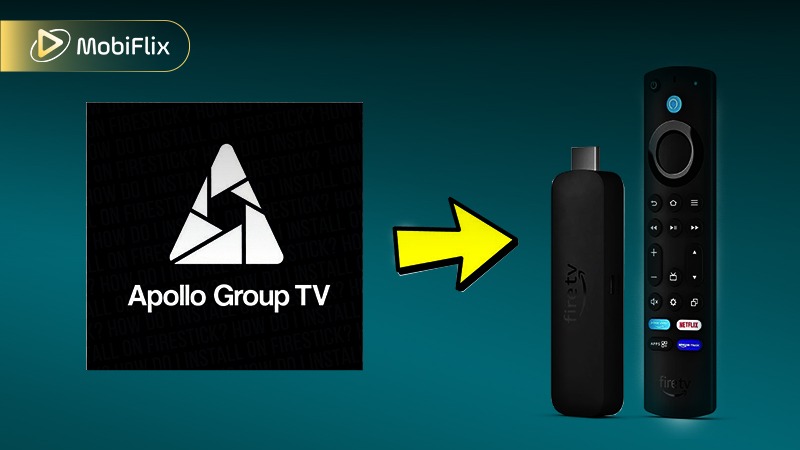
Apollo TV setup example for TV devices.
iOS support is more limited compared to Android. There is no fully featured native app in many regions, so users often rely on alternative installation methods or web-based access. Compared to Android or Firestick, iOS users may face restrictions due to platform policies.
When available, iOS access focuses on:
These highlights depend heavily on the installation method used.
How to Download & Install Apollo TV on iOS
For iOS users, safe options include:
This approach minimizes security risks.
Apollo TV’s interface is built around speed and familiarity, especially for users navigating with a TV remote or basic touchscreen controls.
Overall, Apollo TV prioritizes fast access and ease of use, making it suitable for viewers who value simplicity over customization.
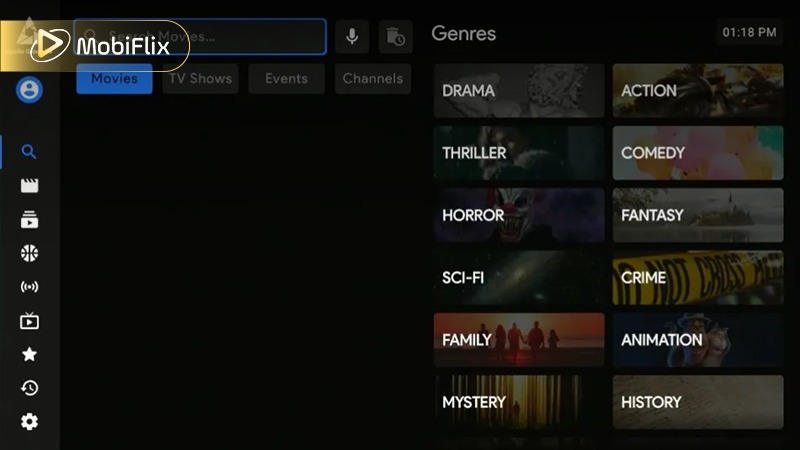
Using search and navigation inside Apollo TV.
Some users may want other options. The table below compares realistic alternatives.
|
Service |
Content Focus |
Platforms |
Legal Clarity |
|
Crunchyroll |
Anime |
Web, mobile, TV |
High |
|
Netflix |
Mixed |
All major devices |
High |
|
Hulu |
TV & movies |
Limited regions |
High |
|
Local IPTV apps |
Mixed |
Device-dependent |
Varies |
Each alternative serves a different type of viewer. Choosing an alternative depends on budget, region, and content preference.
Apollo TV works best for users who value flexibility, multi-device access, and broad content availability. Anime fans who enjoy exploring large libraries may find it useful, while users who prefer fully licensed platforms may want other options.
As a whole, Apollo TV remains a practical choice for certain viewing habits, especially when used carefully and responsibly.
Offline viewing depends on device support and version. Some builds allow temporary downloads, while others rely on streaming only. Users should check in-app options and respect usage terms.
Apollo TV is not universally shut down. Availability may change due to regional restrictions, maintenance, or group management decisions.
Common fixes include checking internet speed, clearing cache, updating the app, or restarting the device.
Most features require login credentials provided through official groups or accounts.
Compatibility includes Android devices, Smart TVs, Firestick, and limited iOS support, depending on region and version.

Apr 21, 2026

Apr 21, 2026

Apr 21, 2026

Apr 21, 2026

Apr 09, 2026

Apr 07, 2026