Top 16 Korean Drama Shorts That Will Hook You Instantly
Apr 21, 2026
BeeTV app is a popular movie and TV streaming option for users who want free entertainment across multiple devices without the burden of expensive monthly subscriptions. In a landscape where thousands of streaming tools appear online, very few deliver the stability, variety, and ease of use that modern viewers expect. The BeeTV app has positioned itself as a strong choice by acting as a premium-grade streaming aggregator rather than a traditional platform.
Instead of hosting files, it works like a specialized search engine that crawls the web and organizes available media links into one unified, easy-to-use interface. In this review, we help you understand who BeeTV is for, how it works, and what real value it offers compared to other BeeTV streaming app options. Whether you are a movie lover or an anime fan, this guide shows how BeeTV simplifies your viewing experience while still delivering high-definition quality.
BeeTV App Overview
The BeeTV app is a third-party movie and TV streaming application built for users who want on-demand entertainment without paid subscriptions. We commonly see BeeTV used on Android phones, Android TV, Firestick, Chromecast with Google TV, and other Android-based platforms that allow third-party installations. The BeeTV app does not host content itself. Instead, it aggregates publicly available streaming links and presents them in a simple, user-friendly interface.
Its main goals are quick access to movies and series, flexible playback quality, and optional offline viewing. Because it is not available on official app stores, users usually need to sideload the APK file to install it.
Before installing any streaming app, it’s important to understand where it works and what your device needs to run it smoothly. This helps avoid compatibility issues and ensures a better viewing experience.
The table below shows where the BeeTV app works, its system requirements, and basic licensing details so you can quickly check if your device is supported.
|
Item |
Details |
|
Application |
BeeTV App |
|
Supported Platforms |
Android phones, Android TV, Android TV boxes, Firestick, Chromecast devices, Tablets, Google TV |
|
License |
Free |
|
Android Version |
4.0.3 and above (newer v4.x may require 5.0+) |
|
iOS Support |
Not available (no official iOS app) |
|
App Size |
v2.x = 14-18 MB; v4.2.3 = 44 MB; v4.3-4.5 = 16-18 MB |
|
Chromecast Support |
Yes, built-in in-app casting |
|
External Player Required |
Yes – MX Player, Bear Player, NV Player, or VLC |
|
Subtitle Support |
Multiple languages included |
BeeTV app runs smoothly on most Android devices and does not require high-end hardware. This makes it easy to install and use, even for casual users.
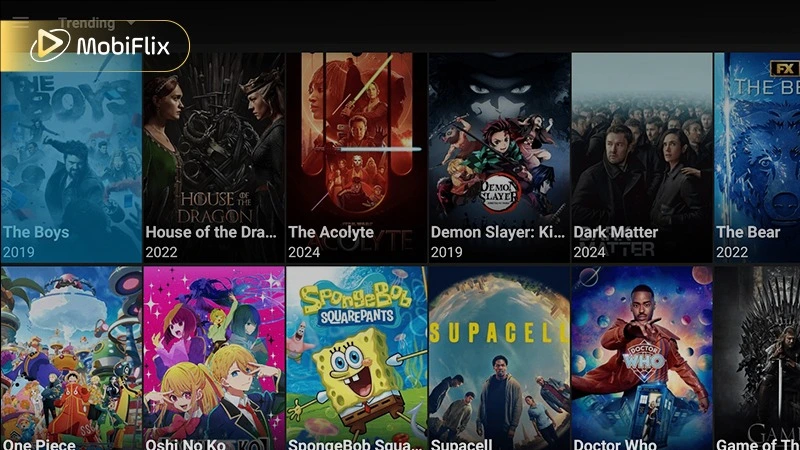
When we analyze BeeTV’s content, variety clearly stands out as its strongest feature. The app brings together a wide range of movies and TV shows, making it suitable for different tastes and viewing habits. Users can easily access:
To help users discover content more quickly, the BeeTV app organizes its library by genre, popularity, and release year. This clear structure reduces search time and improves overall usability. Anime fans also benefit, as many animated movies and series include subtitle options, adding extra value for international viewers.
BeeTV Movies & TV Library
BeeTV stands out in 2026 because it focuses on simple, reliable streaming rather than just providing links. The app works as a lightweight media tool that helps users find, manage, and play content smoothly. Key features include:
Before using BeeTV, it helps to understand how it performs on different devices. The table below shows expected streaming quality based on hardware capability.
|
Quality Level |
Resolution |
Recommended Hardware |
|
Standard (SD) |
480p |
Older Android phones (v5.0+) / Basic TV boxes |
|
High (HD) |
720p – 1080p |
Standard Firestick / Mid-range phones |
|
Ultra (4K) |
2160p |
Firestick 4K / Shield TV / High-end tablets |
|
Offline Mode |
Variable |
Depends on available local storage |
Note: For stable 4K streaming, using a Real-Debrid account and a 5GHz Wi-Fi connection is recommended to handle high-bitrate content smoothly.
Before choosing any streaming app, it’s important to look at both its strengths and its limitations. Doing this helps you set realistic expectations and decide whether the app suits your viewing habits. BeeTV app offers several advantages, but it also comes with a few drawbacks to consider.
Pros:
Cons:
Understanding these trade-offs makes it easier to decide whether the BeeTV app fits your needs and comfort level.
Safety is a common concern for users considering the BeeTV app, especially because it is not available on official app stores. The app does not host content directly and instead relies on third-party sources to provide streaming links. This setup means users need to be more careful than they would be with apps downloaded from verified platforms.
To reduce potential risks, it’s important to follow a few basic safety practices. These steps help protect your device and personal data:
When used responsibly and with proper precautions, the BeeTV app presents a manageable level of risk for informed users who understand how third-party apps work.
Is the BeeTV App Safe and Legal to Use?
You won’t find BeeTV app on the Google Play Store, so manual installation is required. While this may sound technical at first, the process is simple and can be completed in just a few minutes. To download BeeTV, follow these steps:
Overall, the installation process is straightforward and suitable even for non-technical users.
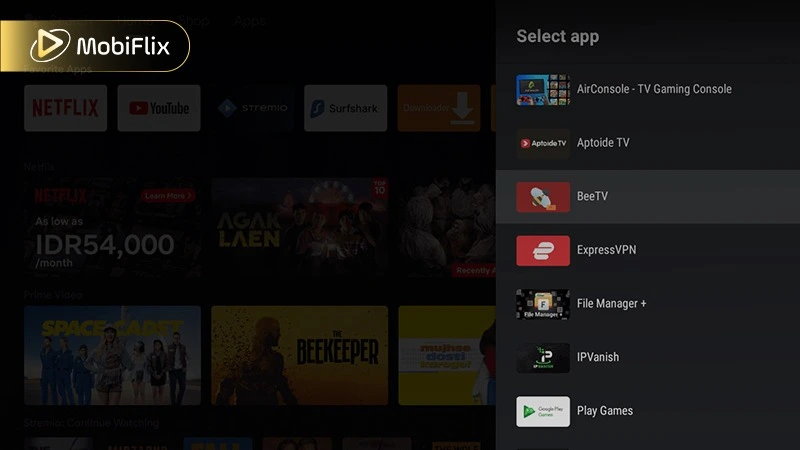
Many users prefer watching movies and TV shows on larger screens for a more immersive experience. BeeTV for Android TV works smoothly on Android TV boxes and Firestick devices, allowing you to enjoy content comfortably on your television.
The table below outlines the most common installation methods for TV-based devices, helping you choose the right setup for your device.
|
Device |
Installation Method |
|
Android TV |
APK via browser or file manager |
|
Firestick |
Downloader app + APK |
|
Android TV Box |
Direct APK install |
Once installed, BeeTV app adapts well to remote controls and widescreen displays. The interface remains easy to navigate, making it ideal for relaxed, home-theater-style viewing at home.
Many users search for BeeTV iOS, BeeTV for iPhone, or BeeTV iPhone, but it’s important to set clear expectations. The BeeTV app does not have an official iOS version available on the Apple App Store. Because of Apple’s restrictions, iPhone and iPad users cannot install BeeTV in the same way as Android users.
Some people try third-party methods or web-based options such as BeeTV online, but these alternatives are often limited, unstable, and less reliable. For full features, better performance, and long-term use, the BeeTV app is mainly recommended for Android-based platforms.
Offline viewing is another key reason many users choose the BeeTV app download options. Instead of depending on a constant internet connection, you can save selected movies or TV episodes to your device and watch them later at your convenience.
This feature is especially useful in situations such as:
In most cases, downloaded files keep their subtitle support and selected quality settings, which improves the overall offline viewing experience with BeeTV app.
Offline Viewing with the BeeTV App
Navigating the BeeTV app is designed to be intuitive, even for those who aren’t tech-savvy. Once you launch the app, you are greeted with a clean layout that prioritizes content discovery.
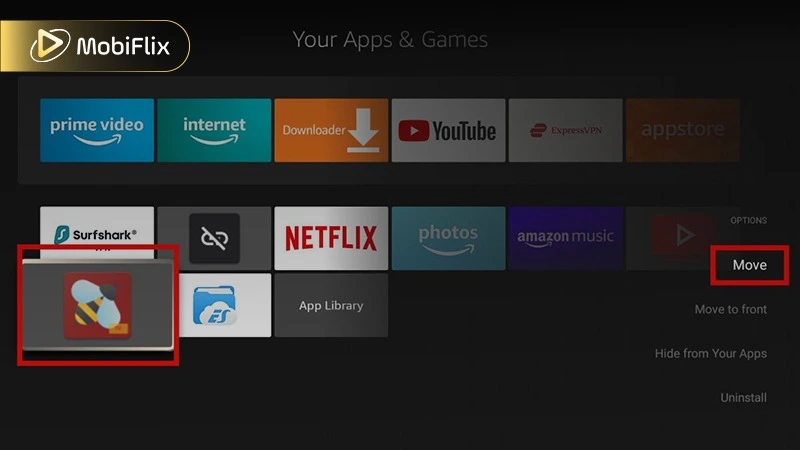
Move BeeTV App on Firestick
If you find that BeeTV isn’t meeting your needs, or you want to have a backup app ready, there are several high-quality alternatives available in 2026. Each application offers unique benefits regarding user interface, link quality, and device compatibility.
The following table compares the top streaming alternatives to help you decide which one fits your setup best:
|
App Name |
Standout Feature |
Supported Platforms |
Content Source Type |
|
Stremio |
Clean UI, no ads, cloud-based library sync. |
Android, Android TV, Windows, iOS (Web) |
Add-ons & P2P |
|
HDO Box |
One-click play, extremely fast loading times. |
Android, Android TV, Firestick |
Cloud-based Links |
|
Cinema HD |
Massive link database, highly reliable for Firestick. |
Android TV, Firestick |
Aggregator (Scrapers) |
|
TeaTV |
Excellent subtitle support and detailed movie info. |
Android, Windows, macOS |
Aggregator (Scrapers) |
|
OnStream |
Very frequent updates for new TV show episodes. |
Android, iOS, Firestick |
Direct Streaming |
This comparison helps you choose the best BeeTV alternative based on your device, streaming style, and feature needs. By reviewing each app’s strengths, supported platforms, and content sources, you can quickly find the option that fits your setup and viewing habits.
The BeeTV app is a flexible and user-friendly option for users who want free, no-subscription streaming on Android devices. The app provides access to a wide range of movies and TV shows, combined with simple navigation and stable performance that works well for everyday viewing. It is especially suitable for users who prefer quick access to content without creating accounts or managing monthly payments.
If you value convenience, content variety, and the ability to watch across different Android-based devices, and you understand the potential risks involved, the BeeTV app can be a practical and appealing choice for your entertainment needs.
BeeTV may experience temporary downtime or maintenance from time to time. This usually happens due to server updates, changes in third-party streaming sources, or copyright-related issues. These interruptions are typically short, and the app often resumes normal operation after an update or source refresh.
Yes, BeeTV app is free to use. Users can stream movies and TV shows without paying a monthly subscription fee or creating an account. While the core features are available at no cost, some versions of the app may differ slightly in performance, interface, or available options.
Some versions of BeeTV app support offline viewing. This feature allows you to download movies or TV episodes directly to your device and watch them later without an internet connection, which is useful when traveling or managing limited data plans.
The legality of BeeTV app depends on your country and local copyright laws. Because the app uses third-party streaming sources, users should review their regional regulations and understand potential legal risks before using it.
Ads are present in BeeTV app, but they are generally minimal and vary depending on the version you install. Most users report that ads do not heavily interrupt playback.
A VPN is not required to use BeeTV app, but it is recommended to improve privacy and add an extra layer of protection while streaming content.

Apr 21, 2026

Apr 21, 2026

Apr 21, 2026
Apr 21, 2026

Apr 09, 2026
Apr 07, 2026