Top 16 Korean Drama Shorts That Will Hook You Instantly
Apr 21, 2026
Cinema HD hits that sweet spot when you just want to open an app and stream something instantly, no accounts, no waiting. We’ve spent time exploring its links, testing playback, and seeing how it holds up day to day. From smooth binge sessions to the occasional hiccup, this is the kind of app that feels exciting at first glance but reveals more the longer you use it.
Cinema HD App Review 2026
Cinema HD is an Android-based streaming application that allows users to watch movies and TV shows through aggregated links from various sources. Unlike official platforms like Netflix or Amazon Prime Video, it does not host content itself but pulls streams from third-party providers.
From our testing, the app is designed for users who want quick, free access to entertainment without signing up or paying monthly fees. The interface is simple, and most content can be streamed instantly. However, because it operates outside official app stores, it raises questions around legality, safety, and reliability.
In short, Cinema HD sits in a gray area: convenient and accessible, but not always transparent or secure compared to licensed services.
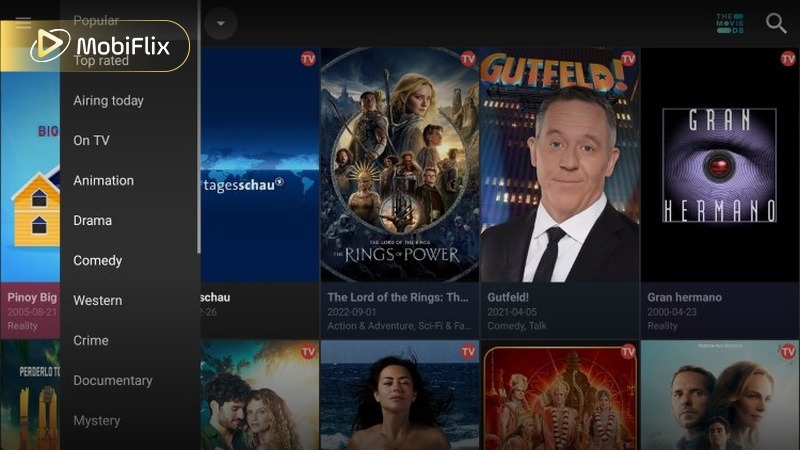
Cinema HD interface overview with categories and navigation menu
Cinema HD offers a wide range of movies and TV shows across multiple genres. Instead of maintaining its own database, it collects streaming links, which means availability can vary depending on sources.
From our use, the library feels broad and frequently updated, especially for trending titles and popular series.
Key content categories include:
While the variety is impressive, consistency depends on link quality. Some titles may have multiple working streams, while others may not load at all.
https://www.vpncheck.org/wp-content/uploads/2021/10/Cinema-HDs-Popular-menu.jpg
Cinema HD APK app focuses on simplicity and flexibility. It doesn’t overload users with complex tools, but it still offers useful features that improve the streaming experience.
Key features include:
Overall, the feature set is practical rather than advanced, focusing on user convenience.
To ensure you are using the most stable and secure version of the app, we have verified the current build details as of early 2026. Avoid any versions labeled “Cinema HD Plus” or “v5.0” found on unverified sites, as these are often ad-injected clones.
|
Specification |
Details |
|
Latest Stable Version |
v3.1.2 (Official) |
|
Android Requirement |
Android 5.0 or higher |
|
File Size |
28.4 MB |
|
Last Update |
January 2026 |
|
Architecture |
armeabi-v7a / arm64-v8a |
|
Ad-Free Support |
Third-party ad-blockers or Real-Debrid recommended |
Pro Tip: If you notice “No Links Found” or persistent buffering, ensure you are running at least v3.0 or higher. Older versions (v2.4 and below) have lost support for many modern scraper APIs, making them significantly less reliable for 4K content.
Below is a balanced comparison based on our real usage experience.
|
Pros |
Cons |
|
Free access to movies and TV shows |
Legal uncertainty in many regions |
|
Simple and easy-to-use interface |
Depends on third-party streaming links |
|
Supports subtitles and external players |
Occasional broken or slow links |
|
Works on multiple devices (Android, Firestick) |
Requires manual APK installation |
|
Real-Debrid support improves quality |
Potential security risks from unofficial sources |
While Cinema HD is convenient, it comes with trade-offs in legality, safety, and reliability.
Cinema HD is not available on official app stores, which already signals potential safety concerns. Since you need to download APK Cinema HD files from external websites, there is a risk of modified or unsafe versions.
From a legal perspective, the app itself does not host content, but streaming copyrighted material from unauthorized sources may violate laws in some countries.
Key risks to consider:
We recommend downloading only from trusted sources, avoiding suspicious permissions, and understanding local laws before using the app. This is not legal advice, but awareness is important.
On Android devices, Cinema HD performs smoothly in most cases. Navigation is responsive, and playback depends mainly on the quality of available links rather than the app itself.
To install the Cinema HD APK app on Android, follow these steps:
The process is simple, but users should always double-check file sources to avoid security risks.
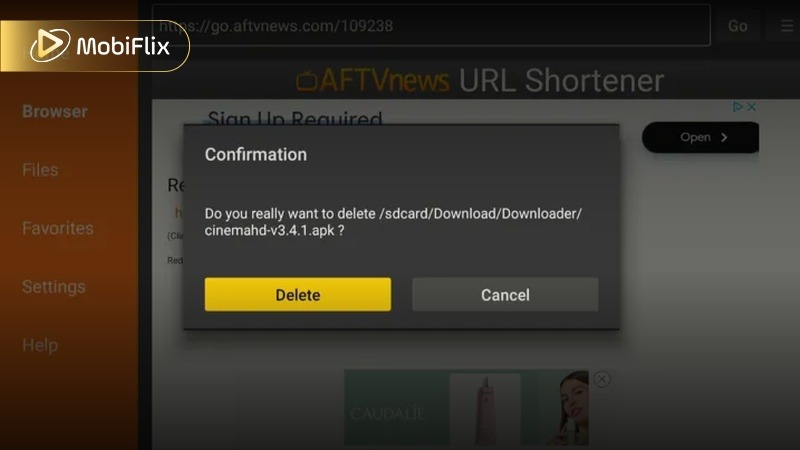
Install Cinema HD APK on Android device from downloaded file
On Android, the app feels optimized for performance and ease of use. It works well even on mid-range devices.
Notable Android-specific features:
This makes the Android experience one of the strongest aspects of Cinema HD.
Cinema HD also works well on Firestick and Android-based Smart TVs, making it a popular choice for big-screen streaming.
To install Cinema HD firestick APK:
The experience on TV is generally smooth, especially when paired with a remote-friendly interface. However, performance depends on device specs and internet speed.
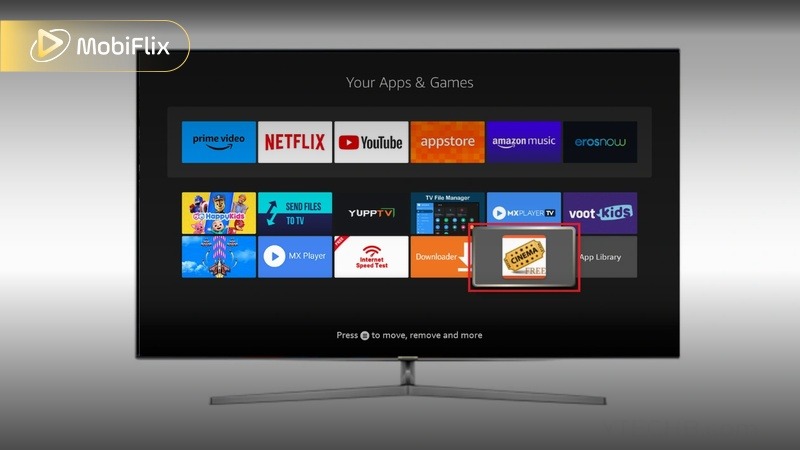
Cinema HD firestick APK installed and running on Smart TV screen
Cinema HD does not have an official version for iOS devices. You won’t find it on the App Store, and direct installation is not supported.
Possible alternatives or workarounds include:
We recommend avoiding unofficial iOS installation methods, as they often involve security risks or unstable performance.
Cinema HD is designed to be beginner-friendly. The layout is clean, and most actions are easy to understand even for first-time users.
Basic usage steps:
You can also:
The overall navigation feels intuitive, with a minimal learning curve.
There are several alternatives to Cinema HD, including both legal and unofficial options. Below is a comparison to help you choose based on your needs.
Quick note: Some alternatives offer legal streaming with ads, while others operate similarly to Cinema HD.
|
App |
Type |
Pros |
Best For |
|
Tubi |
Legal |
Free, safe, no APK needed |
Casual viewers |
|
Pluto TV |
Legal |
Live TV + on-demand |
TV-style experience |
|
Stremio |
Mixed |
Add-ons for flexibility |
Advanced users |
|
Kodi |
Mixed |
Highly customizable |
Tech-savvy users |
|
BeeTV |
Unofficial |
Similar to Cinema HD |
Alternative APK users |
These alternatives give you options depending on whether you prioritize safety, flexibility, or free access.
From our experience, Cinema HD remains a convenient option for users who want free streaming without subscriptions. The interface is simple, and the feature set is practical enough for daily use.
However, it is not for everyone. If you value legal clarity, consistent quality, and full security, official platforms are still the better choice. Cinema HD works best for users who understand the risks and are comfortable managing them.
In conclusion, Cinema HD is useful but not perfect. If you decide to use it, do so carefully and with awareness. Cinema HD continues to attract users in 2026, but responsibility is key.
Yes, Cinema HD allows downloads for some content, but availability depends on the streaming source. Download quality and reliability may vary.
A VPN is not required, but many users choose to use one for added privacy and to reduce potential risks when accessing third-party links.
Common fixes include clearing app cache, updating to the latest version, checking internet connection, or reinstalling the app.
Cinema HD Plus is often mentioned as a modified or alternative version, but it is not officially recognized. Features and safety may differ depending on the source.
Yes, Cinema HD supports Real-Debrid integration, which can provide higher-quality and more stable streaming links.

Apr 21, 2026

Apr 21, 2026

Apr 21, 2026

Apr 21, 2026

Apr 09, 2026

Apr 07, 2026