Top 16 Korean Drama Shorts That Will Hook You Instantly
Apr 21, 2026
Streaming habits keep changing, and DreamTV has quietly become a name many streaming enthusiasts run into when looking for flexible ways to watch on phones, TVs, or Android boxes. The app promises live streams, quick access, and fewer barriers than traditional platforms. But convenience always comes with trade-offs.
From content variety to stability and safety, your experience depends on how and where you use it. Let’s break down what actually matters before you decide to install and start watching.
DreamTV Official Logo
DreamTV is a digital streaming platform commonly associated with live TV-style streams and on-demand content access through apps and APK files. Users often discover it when searching for flexible alternatives to traditional streaming subscriptions.
The main purpose of DreamTV streaming is convenience. It brings multiple content sources into one interface, allowing users to explore live channels, shows, and video libraries without complex setup. For anime fans, this model can feel appealing, especially when official apps are unavailable in certain regions.
DreamTV is not positioned as a premium studio-backed service. Instead, it functions as a content access tool that depends heavily on device compatibility, network stability, and how users install it.
Below is a practical overview of file-related details users usually look for before installing the app.
|
Category |
Key Details |
|
Latest Android Version |
Around v10.x (varies by distributor) |
|
File Size Range |
6–10 MB (light APK) · some bundled builds up to 80+ MB |
|
Minimum Android Version |
Android 5.0+ |
|
Supported Devices |
Android phones, tablets, Android TV, TV boxes, Firestick (sideload) |
|
Installation Method |
Google Play (limited regions) or manual APK install |
|
Update Frequency |
Irregular; often requires manual updates |
|
Account Requirement |
No mandatory account in most versions |
|
Permissions |
Network access, storage (varies by build/source) |
|
Popularity Indicator |
Public listings show 100K+ installs on some variants |
DreamTV files are lightweight compared to full subscription apps, but users must verify sources carefully to reduce security risks.
To stay safe, we recommend downloading only from reputable sources and scanning files before installation. Avoid modified files claiming premium unlocks.
DreamTV’s content approach is flexible rather than fixed, which shapes how viewers should use it.
Overall, this setup suits casual browsing and spontaneous viewing, not users who want stable libraries or consistent access to specific shows.
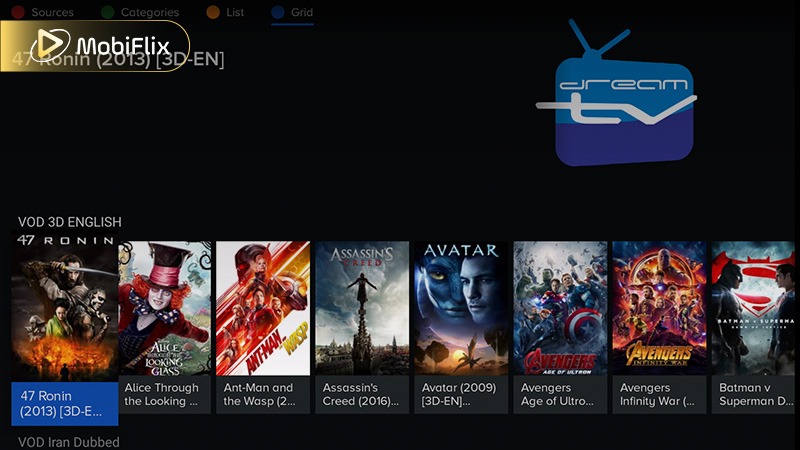
DreamTV streaming interface showing live channels and content categories.
DreamTV centers on straightforward streaming functions designed for users who want fast access across devices without complex setup. Its feature set focuses on usability, broad compatibility, and live-oriented viewing rather than advanced personalization.
Beyond core access, DreamTV’s streaming behavior is shaped by network quality and device capability rather than in-app optimization tools.
|
Feature |
Performance Detail |
Recommended Speed |
|
Live Streaming |
Real-time playback, sensitive to drops |
15 Mbps+ |
|
Standard Quality |
Stable viewing with low data use |
5 Mbps |
|
HD Streams |
Clear image, moderate buffering risk |
10 Mbps |
|
Adaptive Playback |
Adjusts quality automatically |
5–20 Mbps |
|
Channel Switching |
Fast on stable connections |
Any stable speed |
In daily use, DreamTV performs best on steady Wi-Fi or broadband connections, where its lightweight structure helps reduce delays during channel changes and extended viewing sessions.
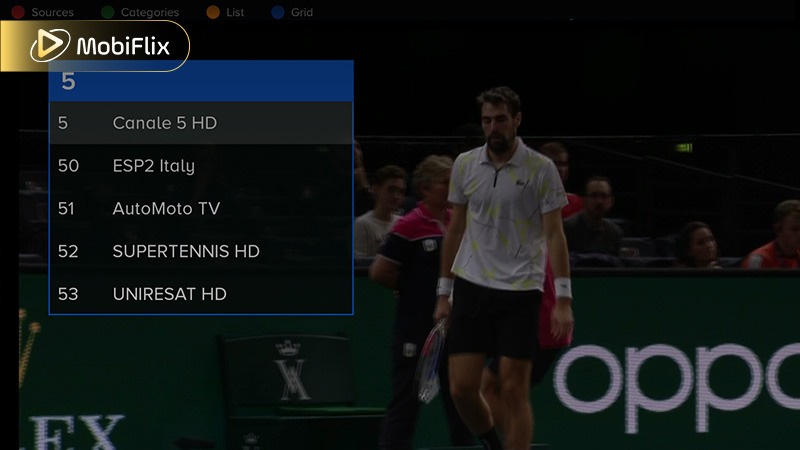
Live streaming view inside the DreamTV app on Android devices.
Here is a balanced look at what works well and what may disappoint users.
Pros
Cons
DreamTV is convenient but not consistent. It suits users who accept trade-offs in exchange for flexibility. We believe transparency matters. DreamTV can be useful, but it is not a replacement for fully licensed platforms.
Safety and legality are the biggest concerns surrounding the DreamTV app. DreamTV itself does not clearly position as a licensed distributor of all content it displays. This means legality may vary by region and content source.
Malicious APK Risks – Third-party APKs can be modified to include adware, spyware, or hidden tracking tools that compromise privacy.
Outdated App Vulnerabilities – Older builds may lack modern security patches, increasing risk of exploits or unstable behavior.
Network & Data Exposure – Streaming over unsecured networks can expose personal data and device credentials.
Practical Safety Tips
These tips help reduce risk but don’t guarantee full safety or legal compliance.
On Android devices, the DreamTV APK is the most common way users access the platform. Installation is usually straightforward, but performance depends on device power and network quality.
User feedback often mentions fast loading times on newer Android phones and TV boxes. Older devices may experience buffering or crashes, especially during peak hours.
Beyond simple accessibility, the DreamTV APK is specifically engineered for native Android hardware interaction, providing several performance advantages over web-based streaming:
This standalone architecture provides a level of technical flexibility and performance tuning that traditional, auto-updating app stores cannot offer.
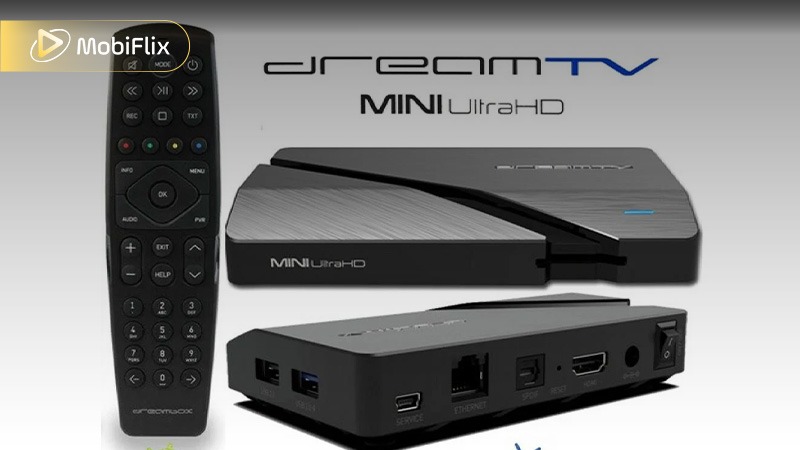
DreamTV APK Android Installation Example
Follow these general safety-focused steps:
This approach reduces unnecessary risks while maintaining usability.
DreamTV on TV-based devices is mostly accessed through sideloading, and the experience depends heavily on hardware and update method. The table below focuses on how users actually install and update DreamTV on TV environments, not general features.
DreamTV Installation & Update Methods on TV Devices
|
Device Type |
Installation Method |
Update Method |
Notes |
|
Android TV |
APK via Downloader/File Manager |
Manual APK update |
Works best on Android 9+ |
|
Firestick |
Downloader app + APK URL |
Manual reinstall |
Requires “Apps from Unknown Sources” |
|
Android TV Box |
USB or direct APK install |
Manual |
Performance varies by RAM |
|
Smart TV (non-Android) |
Not supported |
N/A |
Casting required instead |
In practice, DreamTV performs more reliably on Android-based TVs and Firestick with stable internet and at least 2 GB RAM. Manual updates are common, so checking versions regularly helps avoid playback issues.
As of 2026, DreamTV does not consistently appear as a fully supported iOS app. Some users report web-based access or limited app availability depending on region.
Apple’s stricter policies mean fewer unofficial options. Users should be cautious of third-party installers claiming full iOS support.
DreamTV iOS Highlights: When accessible, iOS versions focus on smooth playback and basic browsing. AirPlay-style casting may work through system tools rather than built-in features.
If available:
Unauthorized installation methods increase security risks on iOS.
DreamTV’s interface is built for speed and minimal learning curve, especially for users who stream on TVs or Android devices rather than phones.
Overall, DreamTV’s navigation favors fast access over customization. It works best for users who want immediate playback rather than detailed library management or advanced filtering tools.
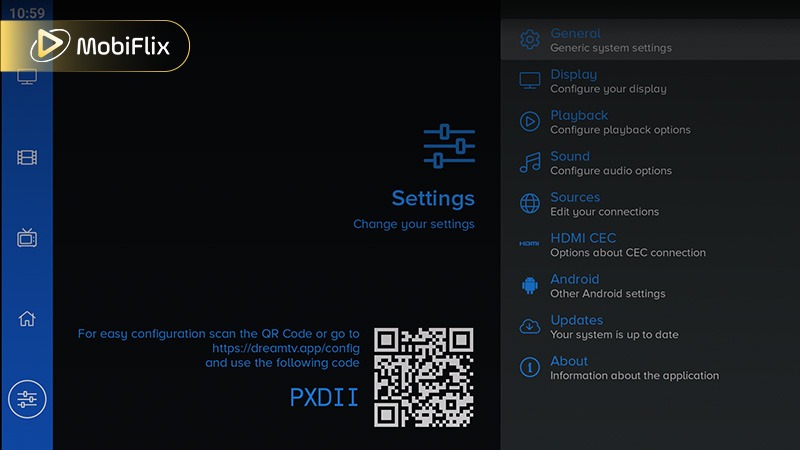
DreamTV Navigation and UI Layout
If DreamTV does not meet your needs, several alternatives exist. Here’s a specific comparison table that contrasts DreamTV with major streaming platforms to see where DreamTV stands relative to common alternatives.
Common Streaming Alternatives Compared
|
Feature / Platform |
DreamTV |
Crunchyroll |
Netflix |
Hulu |
Local IPTV Apps |
|
Content Library |
Live streams, varied sources |
Anime-focused, large catalog |
Broad movies/series |
TV shows + originals |
Local channels & streams |
|
Licensing Status |
Unclear/varies by source |
Official licensed |
Official licensed |
Official licensed |
Legal if provider sanctioned |
|
Quality Guarantees |
Inconsistent |
Up to 1080p/4K |
Up to 4K |
Up to 4K |
Depends on provider |
|
Device Support |
Android, Android TV, Firestick |
Phones, Smart TV, consoles |
Everywhere |
Everywhere |
Depends on app support |
|
Cost |
Free / no subscription |
Free with ads / paid tiers |
Subscription |
Subscription |
Varies (free or paid) |
|
Offline Downloads |
No |
Yes (paid) |
Yes |
Yes (select plans) |
Rare |
|
Updates & Stability |
Manual APK updates |
Official app updates |
Official app |
Official app |
Varies |
|
Legal Clarity |
Low |
High |
High |
High |
High if official |
DreamTV delivers flexible live access across devices at no cost, but lacks consistent licensing, polished quality control, and official updates that reputable services like Crunchyroll, Netflix, and Hulu provide. Local IPTV apps offer legal local channels, while DreamTV favors open access over guaranteed content and stability.
DreamTV works best for users who enjoy exploring live streams and do not rely on fixed content catalogs. It suits tech-savvy viewers who understand APK installation and accept potential limitations.
If you want guaranteed anime episodes and legal certainty, licensed platforms remain the better choice. For casual streaming, DreamTV can still be an option when used carefully.
DreamTV generally focuses on streaming. Offline downloads are usually not supported, and availability depends on specific versions.
DreamTV availability can change by region or version. Temporary outages often relate to server or network changes rather than permanent shutdowns.
Buffering usually relates to network speed, server load, or outdated app versions. Switching streams or lowering quality may help.
Most versions of the app DreamTV do not require account registration. Access models may change depending on updates.
Clearing cache, updating the app, and using stable connections often resolve common issues.

Apr 21, 2026

Apr 21, 2026

Apr 21, 2026
Apr 21, 2026
Apr 09, 2026
Apr 07, 2026