Top 16 Korean Drama Shorts That Will Hook You Instantly
Apr 21, 2026
The Stremio app (Stremio) has become our daily streaming hub after a 3-month test across Apple TV, Firestick, and Android. In today’s fragmented streaming world, it works like glue: bringing content together into one clean experience that saves time and effort.
We approached this review as real users, not just observers. We tested installation, playback, addons, and cross-device syncing to see whether Stremio still deserves its reputation in 2026. If you want a smarter way to stream without juggling multiple apps, this guide will help you decide.
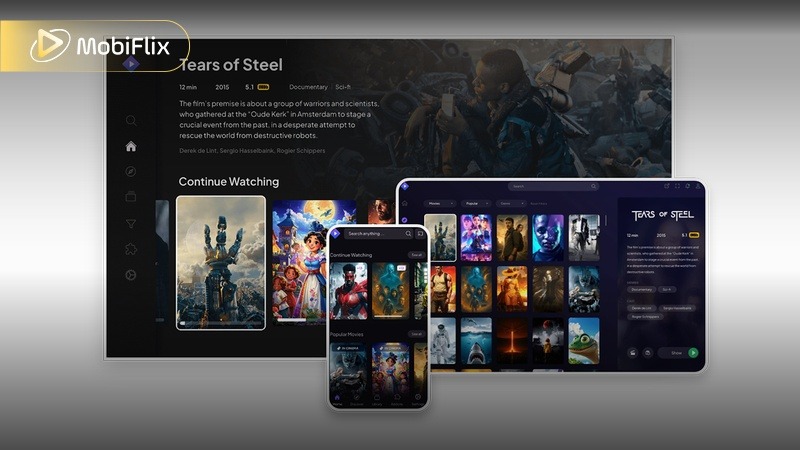
Stremio app interface on Apple TV Firestick and Android devices
At first launch, the Stremio app feels almost empty, and that’s exactly the point. Unlike traditional streaming apps, Stremio doesn’t host content. Instead, it uses an addon-based system. Think of it as a smart hub where you plug in sources based on your needs.
From our experience, this design delivers three major benefits:
But the real magic in 2026 is the “Install Once, Sync Everywhere” system.
When we installed addons on Android, they instantly appeared on our Firestick and desktop, no reconfiguration needed. This is where Stremio clearly outperforms tools like Kodi, which still require manual setup per device.
Because addons live in the cloud (linked to your account), your entire streaming ecosystem travels with you. Log in anywhere, and your setup is ready in seconds.
Setting up the Stremio app depends heavily on your device. We tested all major platforms and found clear differences in difficulty and performance.
For most users, this is the best starting point.
On Android (including Android TV), installing Stremio is straightforward:
The 2026 update (v1.9.8) improved stability and playback speed, especially for 4K streams.
For Stremio Firestick, sideloading remains the gold standard:
From our testing, Firestick offers:
If you want the smoothest experience, this is the “path of least resistance.”
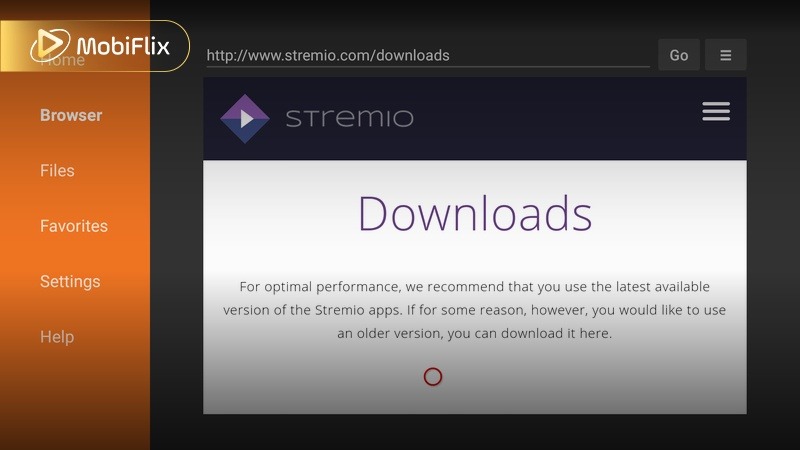
Installing Stremio APK on Android TV and Firestick using Downloader app
This is where things get more interesting.
In early 2026, an official IPA file became available for sideloading. This opened the door for full Stremio functionality on Apple devices.
There are now two main options:
We tested both, and the difference is huge.
The full version delivers the real experience, but requires a bit more effort. Tools like AltStore make the process manageable without technical knowledge. Just follow the guided steps and connect your device.
For Apple TV users searching for Stremio Apple TV or Apple TV Stremio app. For full-feature access, the official sideloadable IPA is currently the main route Stremio has announced for Apple TV/tvOS..
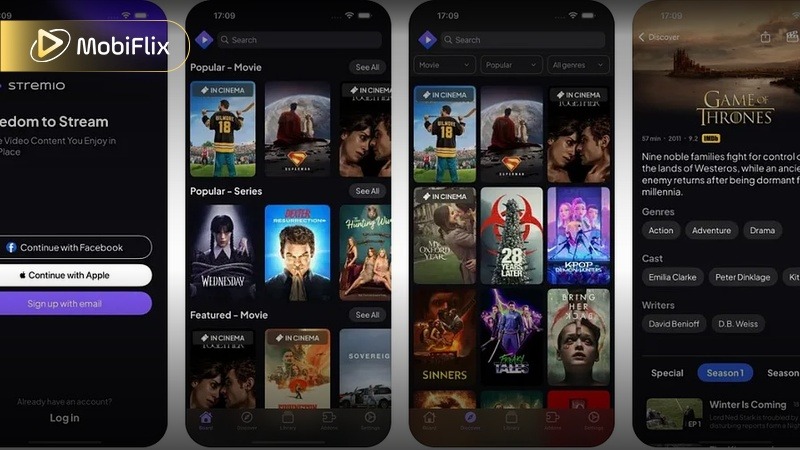
Stremio app running on iPhone using AltStore sideload method
Let’s be honest: without a Debrid service, the Stremio app can feel inconsistent.
During our first week without Debrid, we saw frequent buffering, low-quality streams, and broken links. After adding Real-Debrid (~$3/month), everything changed.
Here’s why: Debrid services provide cached torrents. So pre-downloaded files stored on high-speed servers. Instead of streaming from random peers, you’re pulling from stable, fast sources.
The result showed instant playback, reliable 1080p and 4K, and no buffering. From our experience, this upgrade transforms Stremio from a basic tool into a premium-level streaming platform.
If you’re serious about performance, this is not optional but essential.
After 3 months of daily use, here’s how the Stremio app actually feels.
What works well:
These features bring Stremio closer to Netflix-level convenience.
Real-world friction points:
Still, overall performance is strong, especially compared to older platforms.
The biggest takeaway: Stremio feels modern, fast, and responsive in 2026.
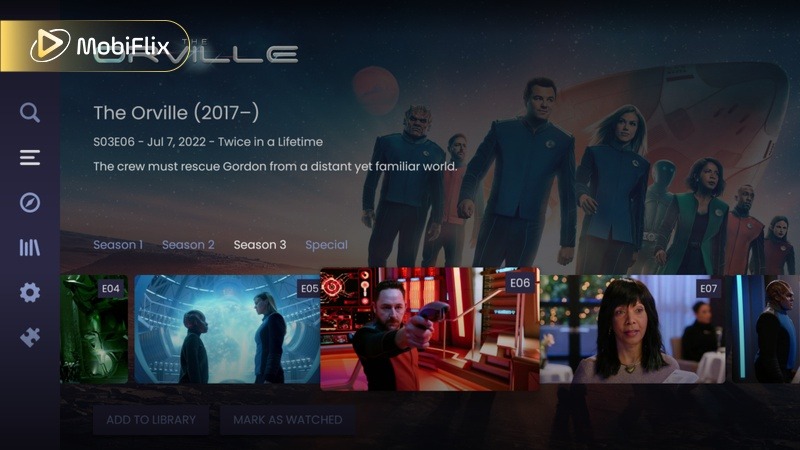
Stremio video player with subtitles skip intro and 4K HDR playback
Stremio is open-source and widely used, with no major malware concerns reported. As long as you download it from official sources, the app itself is considered safe to install and run.
Legality (The Content You Access): Stremio doesn’t host content. It depends entirely on addons. Official addons are safe and legal, while third-party addons may pull from sources with unclear legality, so responsibility falls on user choice.
How It Works in Practice: Think of Stremio as a tool, not a content provider. What you watch is determined by the addons you install, meaning your setup directly shapes both your experience and potential risks.
VPN Usage: Without a Debrid service, a VPN can act as a privacy layer when streaming from public sources. With Debrid, streams are routed through private servers, offering a more secure and stable connection by default.
Bottom Line: Use trusted addons, avoid unknown sources, and treat Stremio like a customizable platform, because that’s exactly what it is.
Before choosing a platform, it helps to compare the options. We compared Stremio, Kodi, and Plex based on setup complexity, speed, and user experience to help you pick the right tool.
|
Feature |
Stremio |
Kodi |
Plex |
|
Setup Time |
Very fast |
Complex |
Moderate |
|
Addon System |
Cloud-based |
Local |
Limited |
|
Streaming Speed |
Very fast |
Slower |
Fast (local media) |
|
Ease of Use |
Beginner-friendly |
Advanced users |
Beginner-friendly |
|
Best For |
Streaming hub |
Custom setups |
Personal libraries |
Overall, Stremio stands out for simplicity and speed, Kodi for customization, and Plex for personal media. In 2026, Stremio offers the best balance for most users.
After months of daily use, we keep coming back to the same conclusion: The Stremio app still feels like one of the smartest ways to stream in 2026. It doesn’t try to replace every platform. Instead, it connects everything into one smooth, unified experience. Once your setup is dialed in, it’s fast, reliable, and surprisingly hard to leave.
That said, it’s not for everyone. If you prefer a fully official, plug-and-play experience with zero setup, Stremio might feel a bit too hands-on. But for those of us who enjoy having control over what we watch and how we access it, this is where it really shines. It’s especially useful if you’re juggling multiple services or just want one place to manage everything.
From our experience, the best results come from pairing the right tools together. A solid addon stack, like Torrentio, Comet, and KnightCrawler, combined with a Debrid service, completely changes the game. With that setup, Stremio stops feeling like a workaround and starts feeling like a premium streaming platform.
If you’re willing to spend a little time setting things up, the payoff is huge. And once you get used to it, going back to traditional streaming apps feels unnecessarily complicated.
Stremio does not natively support offline downloads. Some addons may offer download options, but functionality varies and depends on the source.
Stremio is still active in 2026. Confusion usually comes from addon outages or regional restrictions, not the app itself.
This usually happens due to overloaded sources or low-quality streams. Using a Debrid service significantly improves reliability.
Popular options include Torrentio, official addons, and curated community addons with stable reputations.
Yes, but risks depend on your content sources. A VPN adds privacy, especially when using non-official addons.

Apr 21, 2026

Apr 21, 2026

Apr 21, 2026

Apr 21, 2026

Apr 09, 2026

Apr 07, 2026